
Sometimes Quickblog won't look like your website and looks strange, because the website builder doesn't allow Quickblog to take its styling settings automatically (its CSS). Our Custom Styling and CSS Override features allow you to force the look of your blog so it looks how you want it to.
1. Custom Styling & CSS Override
You can configure the look and feel of your blog post text in the click-and-point Custom Styling section of your blog post. This makes it easy to choose your blog display settings without knowing any CSS.

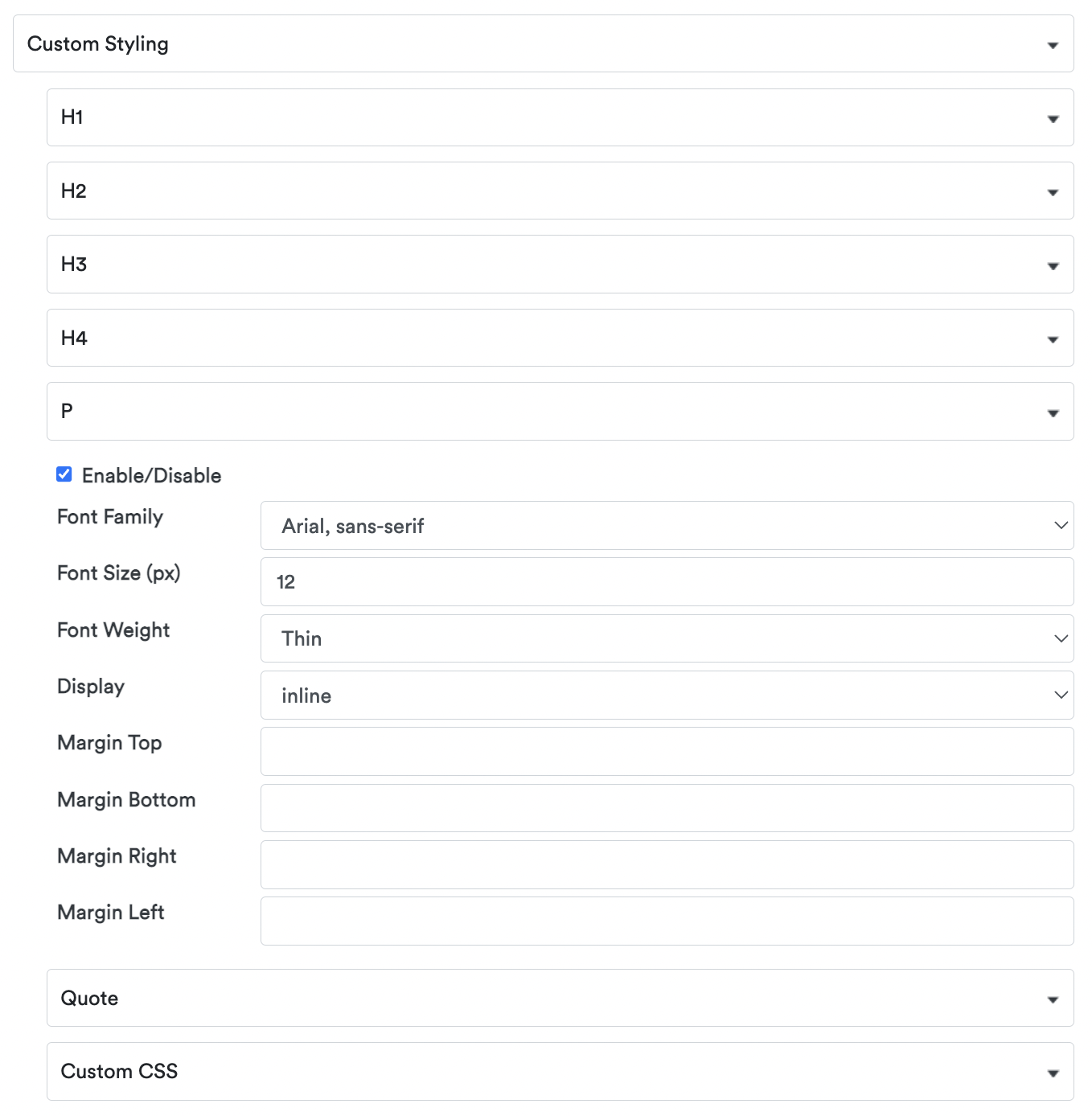
Be sure to click the CSS Override and enable the toggle in the Editor afterwards, which means that regardless of your website's styling, your blog post will look like you want it to. When you've done this, only then will you be able to show a Preview of what your blog actually looks like. Until then, the button will be greyed. We will soon update the Custom Styling to be at the Global level, so you only have to change your style settings once for them to be applied to all of your blog posts.
Some other style settings may not be passed to Quickblog, such as the following:
- Bullet list
- Line spacing
- Header size
- Colors
- etc
We are working hard to address this so that the editor will change everything that you want visually. In the time being, you can use custom CSS, like the type we have specified below. To get started, here is some generic CSS that you can use.
Copy and paste the below into the Custom CSS field in your Blog General Settings (Settings -> Blog Settings -> Layout Settings) and please remember to change the colors, sizes, etc, but leave the !important text in the CSS, then Save your changes! Also, if you need any help with any of this, please reach out to us by live chat, or email help@quickblog.co:
#qb-posts {
max-width: 800px !important;
text-align: left !important;
margin: 0 auto !important;
}
h1 {
font-size: 2em !important;
}
h2 {
font-size: 1.6em !important;
}
h3 {
font-size: 1.5em !important;
}
p {
font-size: 1em !important;
line-height: 1.4 !important;
}
li {
list-style-type: none !important;
display: list-item !important;
line-height: 1.4 !important;
}
ul li {
list-style: disc !important;
line-height: 1.4 !important;
}
ol li {
list-style: decimal !important;
line-height: 1.4 !important;
}
strong {
font-weight: bold !important;
}
.qb-author a {
color: #111111;
}
a:link {
color: #111111;
}
blockquote {
background: #e2e2e2 !important;
border-left: 10px solid !important;
padding: 0.5em 10px !important;
line-height: 1.4 !important;
}
blockquote:before {
content: open-quote !important;
font-size: 4em !important;
line-height: 0.1em !important;
margin-right: 0.25em !important;
vertical-align: -0.4em !important;
}
blockquote p {
display: inline !important;
line-height: 1.4 !important;
}
div.qb-author ul li {
list-style: none !important;
}
div.qb-author-detail ul li {
list-style: none !important;
}
div.qb-pagination-section ul li {
list-style: none !important;
}